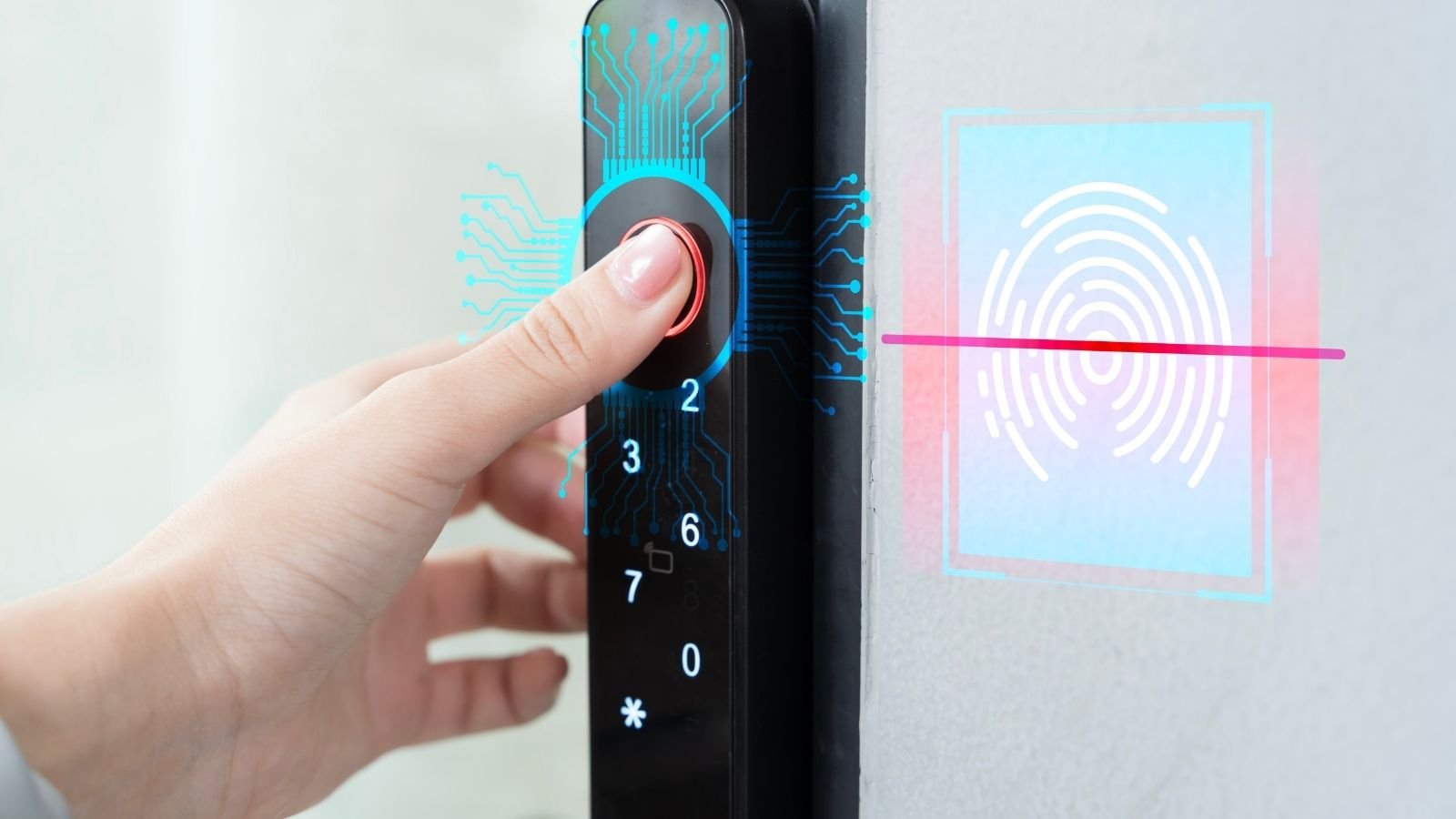
Smart locks are quickly becoming one of the most popular home security upgrades in the UK. These keyless door locks allow homeowners to unlock doors using a smartphone, fingerprint, keypad, or voice assistant instead of traditional keys.
With features like remote access, auto-locking, and activity tracking, smart locks can improve both security and convenience. Many modern models integrate with smart home platforms such as Alexa, Google Home, and Apple HomeKit.
In this guide, we’ll explore the best smart locks for UK homes, key features to consider, and how to choose the right lock for your property.
Best Smart Locks for UK Homes
Below are some of the most popular smart locks available to UK homeowners.
1.
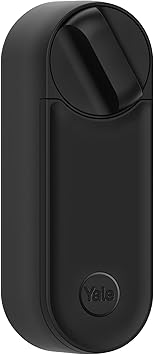
Easy Installation | Remote Lock and Unlock | Virtual Keys | Real-time Alerts | Compatible with The Yale Home app

The Yale Linus L2 is one of the most advanced smart locks available for UK doors.
Key features
- Remote locking and unlocking via smartphone
- Built-in Wi-Fi and Bluetooth
- Auto-unlock with geolocation
- Compatible with Alexa, Google Home and Apple HomeKit
This lock can automatically unlock when you approach your home and lock when you leave.
Best for: homeowners wanting a fully integrated smart home lock.
2.

[NO Subscription Required] Remote Access from Anywhere, Anytime, No Key Needed, Works with Alexa, Google Assistant and Philips Hue - Chrome
The Yale Conexis L2 is designed specifically for UK multipoint doors and keyless entry.
Key features
- Key card, phone or keypad entry
- Built-in tamper alarm
- Compatible with Yale smart home systems
- Access logs and guest access options
Best for: front doors with multipoint locking systems.
3.

Front Door Smart Deadbolt, IP53 Waterproof, 8-Months Battery, Nickel
Eufy smart locks are popular for combining security features with simple installation.
Key features
- Fingerprint recognition
- Smartphone control
- Keypad and app access
- Built-in Wi-Fi connectivity
Best for: households wanting multiple ways to unlock the door.
4.

The Bold Smart Lock SX-33 replaces the traditional cylinder inside your door.
Key features
- Keyless Bluetooth unlocking
- Smartphone app access
- Minimalist design
- Easy installation
Best for: modern homes wanting a sleek, hidden smart lock solution.
5.
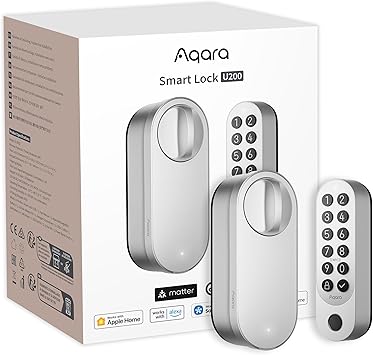
(Fingerprint Keypad Included), Matter Over Thread, Smart Door Lock with Apple Home Key and Rechargeable Battery, Supports Apple, Google Home, Alexa and SmartThings, Silver
The Aqara Smart Lock U200 integrates well with smart home systems.
Key features
- Fingerprint unlocking
- Apple Home and Matter compatibility
- Remote control via mobile app
- Temporary digital keys for guests
Best for: smart home automation setups.
What Is a Smart Lock?
A smart lock is an electronic lock that connects to your smartphone or home network, allowing remote control and automated access.
Instead of a traditional key, smart locks can be opened using:
- Smartphones
- PIN codes
- Fingerprints
- Key fobs
- Voice assistants
Many systems also record activity logs showing who entered your home and when.
Benefits of Smart Locks
Keyless Convenience
You no longer need to carry physical keys. Doors can be unlocked using a phone or keypad.
Remote Access
You can lock or unlock your door from anywhere using a mobile app.
This is useful for:
- letting guests inside
- granting access to cleaners
- allowing deliveries
Activity Monitoring
Many smart locks provide logs showing when doors are opened or closed.
This is useful for families or rental properties.
Smart Home Integration
Most modern smart locks integrate with systems like:
- Amazon Alexa
- Google Assistant
- Apple HomeKit
- Samsung SmartThings
This allows you to create automated routines.
Features to Look for in a Smart Lock
Door Compatibility
UK doors often use multipoint locking systems, which means not every smart lock will fit.
Look for locks designed for:
- UPVC doors
- composite doors
- euro-cylinder locks
Some locks attach to existing cylinders while others replace them.
Unlocking Methods
Different locks offer different access options.
Common unlocking methods include:
- smartphone apps
- fingerprint sensors
- keypad PIN codes
- Bluetooth auto-unlock
Many locks support several options simultaneously.
Security Certifications
Look for locks with recognised security ratings.
Examples include:
- TS007 security standard
- Sold Secure certification
These standards indicate stronger protection against forced entry.
Battery Life
Smart locks typically run on batteries.
Most batteries last 6–12 months depending on usage.
Many locks provide low battery warnings through mobile apps.
Are Smart Locks Safe?
Smart locks can be just as secure as traditional locks when properly installed and maintained. Experts note that high-quality models can even offer additional security features such as activity tracking and remote monitoring.
However, it’s important to:
- keep software updated
- use strong passwords
- choose reputable brands
Combining a smart lock with other security devices such as cameras and alarms provides the best protection.
Smart Lock Installation Tips
Installing a smart lock is usually straightforward.
Steps typically include:
- Removing the existing cylinder or lock
- Installing the smart lock hardware
- Connecting it to the smartphone app
- Setting access permissions
Some locks require no drilling and can be fitted in minutes.
Smart Lock Trends for 2026
Smart lock technology is evolving rapidly.
Recent innovations include:
- facial recognition unlocking
- palm-vein biometric authentication
- solar-powered smart locks
- wireless charging systems
Some new models unveiled in 2026 use 3D facial recognition and palm scanning for hands-free unlocking.
These developments are making smart locks even more secure and convenient.
Final Thoughts
Smart locks are one of the best upgrades you can make to improve home security and convenience. With remote access, activity tracking, and keyless entry, they offer many advantages over traditional locks.
The best smart locks for UK homes include:
- Yale Linus L2
- Yale Conexis L2
- Eufy Security Smart Lock
- Bold Smart Lock SX-33
- Aqara Smart Lock U200
Choosing the right smart lock depends on your door type, security needs, and smart home setup.